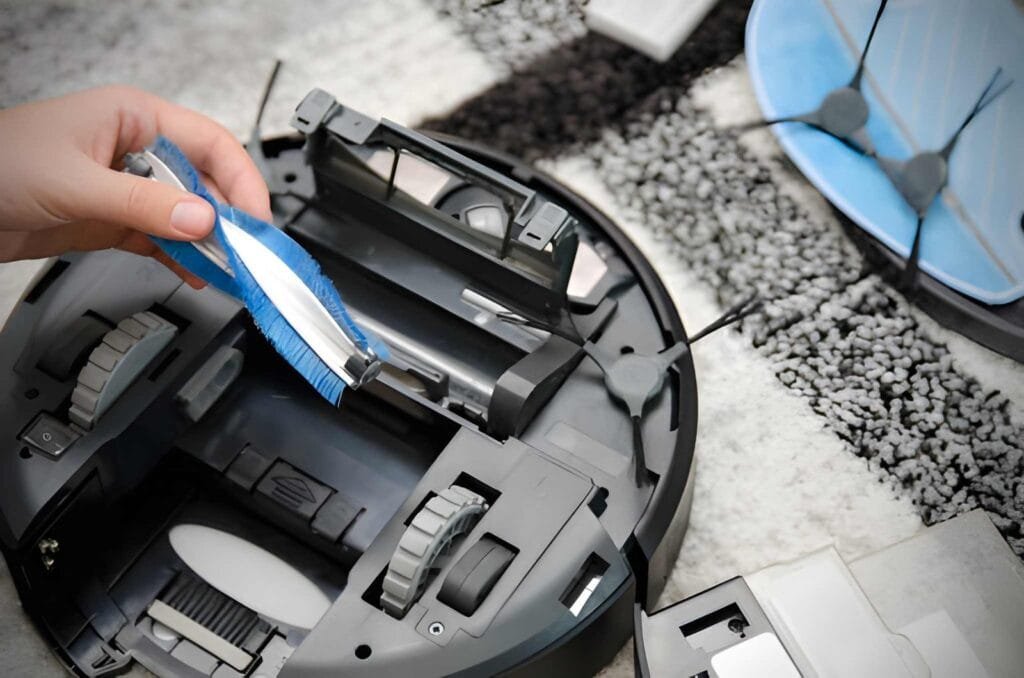
Are you wondering how to empty your Shark robot vacuum quickly and easily? Keeping your vacuum’s dustbin clean is key to making sure it works at its best every time.
If you don’t empty it regularly, your vacuum might miss dirt or even stop working. Don’t worry—you’re just a few simple steps away from a cleaner home and a happier vacuum. Read on, and you’ll learn exactly how to empty your Shark robot vacuum the right way, so it keeps your floors spotless without any hassle.
Prepare The Vacuum
Preparing your Shark robot vacuum before emptying it makes the process smooth and safe. This step helps avoid mess and ensures the device works well after cleaning. Follow simple actions to get your vacuum ready.
Power Off The Device
Turn off your Shark robot vacuum. This stops it from running while you empty the dustbin. Press the power button firmly. Wait a few seconds to confirm it is off. This step keeps you safe and prevents damage.
Locate The Dustbin
Find the dustbin on your Shark vacuum. It usually sits at the back or top of the device. Check your model’s manual if unsure. Knowing where the dustbin is helps you remove it quickly. Handle it gently to avoid spilling dirt.
Remove The Dustbin
Removing the dustbin is the first step to empty your Shark robot vacuum. This part holds all the dirt and dust collected during cleaning. Taking out the dustbin carefully helps keep the vacuum working well. It also stops dust from spilling everywhere.
Follow simple steps to remove the dustbin safely. This keeps your vacuum clean and ready for the next use.
Unlock The Dustbin
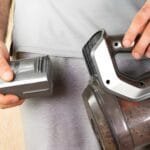
Find the dustbin release button on your Shark robot vacuum. Press it gently to unlock the dustbin. Do not use too much force. The dustbin should pop out slightly. This makes it easy to pull out without damage.
Take Out The Dustbin Carefully
Hold the dustbin firmly with both hands. Pull it straight out from the vacuum body. Avoid twisting or shaking it. This stops dust from escaping. Place the dustbin on a flat surface. Now you can open it to empty the dirt.
Empty The Dustbin
Emptying the dustbin of your Shark robot vacuum is a simple step that keeps your device working well. Regularly clearing the dustbin helps maintain strong suction and better cleaning results.
This section explains how to empty the dustbin properly to avoid mess and keep your vacuum ready for the next use.
Dispose Of Debris
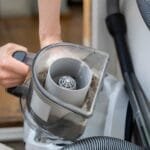
First, remove the dustbin from the vacuum carefully. Hold it over a trash can to avoid spilling dirt. Open the dustbin lid and let the debris fall out. Use a soft brush or cloth to clear any stuck particles. Close the lid firmly before placing it back into the vacuum.
Check For Residual Dirt
After emptying, check inside the dustbin for leftover dirt. Use your fingers or a small brush to remove any stuck debris. Make sure the filter is clean and free of dust. A clean dustbin improves your vacuum’s performance and extends its life.
Clean The Dustbin
Cleaning the dustbin is an important step to keep your Shark Robot Vacuum working well. A clean dustbin helps the vacuum pick up dirt better. It also stops bad smells and keeps the vacuum running longer. Make sure to clean the dustbin after every use or when it looks full.
Empty the dustbin first by pressing the release button. Then follow these steps to clean it properly.
Rinse With Water
Take the dustbin to a sink and rinse it with warm water. Use your hand or a soft cloth to remove stuck dirt. Avoid using soap or harsh cleaners. They can damage the dustbin. Rinse until the dustbin looks clean and free of dust.
Dry The Dustbin Thoroughly
After rinsing, dry the dustbin completely before putting it back. Use a clean towel or let it air dry. Water inside the dustbin can harm the vacuum’s motor. Wait until there is no moisture left. This step is very important for the vacuum’s long life.
Reassemble The Vacuum
After emptying the dustbin, it is important to reassemble your Shark robot vacuum properly. This step ensures the vacuum works well in the next cleaning session. Taking your time here can prevent problems and keep the vacuum running smoothly.
Reinsert The Dustbin
Hold the dustbin carefully and line it up with the vacuum slot. Slide the dustbin back into its place gently. Make sure it fits snugly without forcing it. A correct fit helps the vacuum detect the dustbin and operate correctly.
Secure The Dustbin Lock
Locate the dustbin lock on your vacuum. Press or slide the lock to secure the dustbin tightly. This prevents the dustbin from falling out during cleaning. Double-check the lock to confirm it is fully engaged.
Maintain Your Shark Vacuum
Keeping your Shark robot vacuum in good shape helps it work better and last longer. Regular care makes sure it cleans your home well every time. Simple steps can keep your vacuum running smoothly.
Emptying the dustbin is just one part of the process. Proper maintenance includes cleaning parts and replacing filters. These tasks help your vacuum pick up dirt and dust efficiently.
Regular Cleaning Tips
Remove the dustbin and empty it after each use. Check the brushes for hair and debris. Clean the wheels to avoid blockages. Wipe sensors with a soft cloth. This keeps your vacuum moving and cleaning well.
Check the vacuum’s brushes every week. Remove any tangled hair or string. Clean the dustbin with warm, soapy water once a month. Let it dry completely before using it again.
When To Replace Filters
Filters trap dust and allergens inside the vacuum. Over time, they get dirty and less effective. Change the filter every two to three months for best results. If you have pets or allergies, replace filters more often.
Look for signs like bad smells or less suction power. These signs mean the filter needs changing. Use only Shark-approved filters to keep your vacuum working well.
Frequently Asked Questions
How Do I Empty A Shark Robot Vacuum Bin?
To empty the bin, press the release button on the dustbin. Remove the dustbin and open the lid. Dispose of the debris in a trash bin. Rinse the dustbin if needed and reinsert it into the vacuum.
How Often Should I Empty Shark Robot Vacuum?
Empty your Shark robot vacuum after every cleaning cycle. This prevents clogs and maintains optimal suction power. Frequent emptying ensures better performance and extends the vacuum’s lifespan.
Can I Wash The Shark Vacuum Dustbin?
Yes, you can wash the dustbin with warm water. Avoid using harsh chemicals or submerging electronic parts. Let it dry completely before reinstalling to prevent damage.
What If The Shark Vacuum Bin Is Stuck?
If the bin is stuck, gently press the release button again. Avoid forcing it to prevent damage. Check for debris blocking the release mechanism and clean if necessary.
Conclusion
Emptying your Shark robot vacuum keeps it working well. Open the dustbin carefully to avoid dust spills. Remove the dirt and debris after every cleaning. Check the filter and clean it often for better suction. Regular emptying helps your vacuum last longer.
Simple steps save time and keep your home tidy. Keep your vacuum ready for the next cleaning job. Easy to do and very helpful for daily use. Your Shark vacuum will stay strong with proper care.