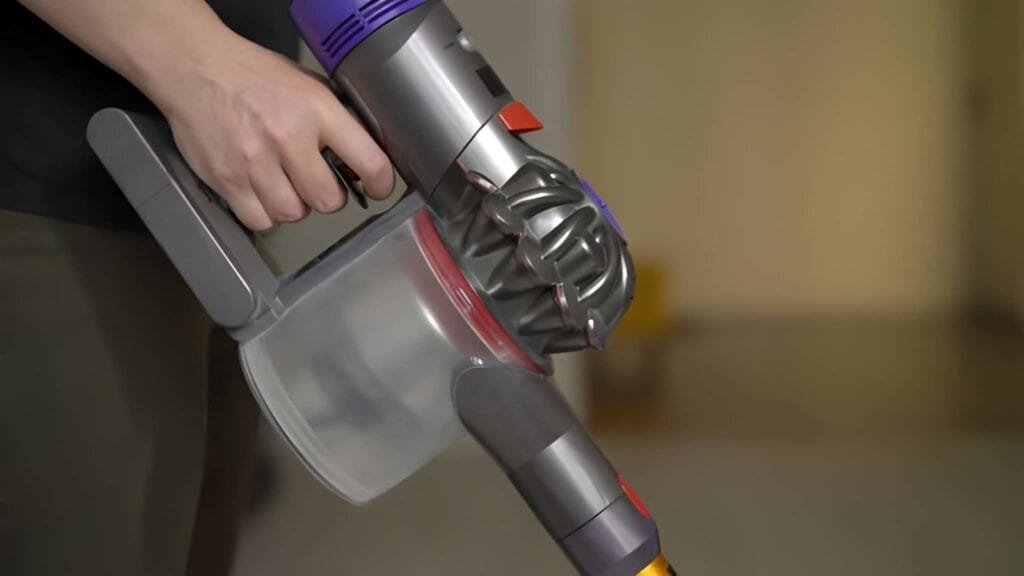
Have you noticed your Dyson vacuum pulsing or losing suction while cleaning? It can be frustrating when your trusted vacuum doesn’t work smoothly.
You might wonder if it’s broken or if there’s a simple fix. The good news is, pulsing often signals something your vacuum is trying to tell you. You’ll discover the common reasons behind this problem and easy steps you can take to get your Dyson back to peak performance.
Keep reading—you’ll be surprised how quick and simple the solution can be.
Common Reasons For Pulsing
Dyson vacuums may start pulsing due to several common issues. This pulsing is a sign the vacuum needs attention. Understanding these causes helps fix the problem quickly. Here are the main reasons your Dyson vacuum might pulse.
Clogged Filters
Dirty filters block airflow inside the vacuum. This causes the machine to lose suction and pulse. Regular cleaning or replacing filters keeps the vacuum working well. Check the filters often to avoid this issue.
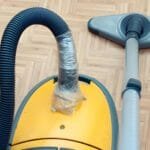
Blocked Hose Or Wand
Debris in the hose or wand stops air from flowing. The vacuum motor struggles and pulses to protect itself. Remove clogs by detaching the hose and clearing any blockages. This restores smooth suction and stops pulsing.
Full Dust Bin
A full dust bin limits space for dirt and air. The vacuum may pulse as it senses this restriction. Empty the dust bin regularly to maintain strong suction. Keeping it clean helps prevent pulsing problems.
Brush Bar Obstruction
Hair or threads caught in the brush bar slow it down. This makes the vacuum pulse to avoid damage. Clear any tangled debris from the brush bar. This allows it to spin freely and stops the pulsing.
Motor Issues
Motor problems can cause irregular vacuum operation and pulsing. Overheating or worn parts reduce performance. If pulsing continues after cleaning, the motor may need professional help. Detecting motor issues early prevents bigger damage.
How To Identify Each Cause
Understanding why your Dyson vacuum pulses helps fix the issue quickly. Identifying each cause is key to solving the problem. Follow these steps to find out what makes your vacuum pulse.
Checking The Filters
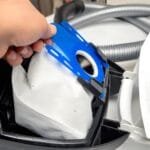
Start by removing the filters from your vacuum. Look for dirt, dust, or blockages on the filters. Clean them with water and let them dry completely. Dirty filters can reduce airflow and cause pulsing.
Inspecting The Hose And Wand
Detach the hose and wand from the vacuum. Check for clogs or holes inside them. Use a long object to clear any blockages. A blocked hose restricts air and causes the motor to pulse.
Emptying The Dust Bin
Look at the dust bin and see if it is full. A full dust bin limits suction power. Empty the bin to restore proper airflow. Regular emptying prevents pulsing issues.
Examining The Brush Bar
Turn off the vacuum and flip it over. Check the brush bar for hair, string, or debris. Remove any tangled material wrapped around the brush. A blocked brush bar can cause pulsing or uneven suction.
Listening For Motor Sounds
Turn on the vacuum and listen carefully. Notice if the motor sounds uneven or weak. Strange noises may mean motor or electrical problems. If sounds are unusual, seek professional help.
Quick Fixes To Stop Pulsing
Dyson vacuum pulsing can interrupt cleaning and cause frustration. Quick fixes often solve this problem without needing a technician. Simple steps can restore your vacuum’s smooth operation fast. Check these common issues to stop the pulsing.
Cleaning Or Replacing Filters
Dirty filters reduce airflow and cause pulsing. Remove filters and rinse them under cold water. Let them dry completely before reinstalling. Replace filters if they are damaged or very old. Regular filter care keeps suction strong and steady.
Clearing Blockages
Blockages in hoses or wand affect suction. Detach parts and inspect for clogs. Use a long object or compressed air to clear debris. Clear pathways restore proper airflow and stop pulsing. Check all connected parts carefully for blockages.
Emptying And Maintaining The Dust Bin
Full dust bins block air and cause pulsing. Empty the bin as soon as it reaches the max line. Clean the bin with a damp cloth to remove dust build-up. Regular emptying ensures smooth airflow and better vacuum performance.
Removing Debris From Brush Bar
Hair and threads wrap around the brush bar. This slows the brush and causes uneven suction. Cut away debris with scissors carefully. Rotate the brush bar to remove all stuck materials. Keeping the brush clear improves cleaning and stops pulsing.
Resetting Or Servicing The Motor
Sometimes the motor needs a reset to fix pulsing. Turn off and unplug the vacuum. Wait a few minutes before turning it on again. Persistent pulsing may signal motor wear or damage. Contact Dyson service for professional help if needed.
Preventing Future Pulsing Issues
Preventing future pulsing issues with your Dyson vacuum helps keep it working well. Pulsing can signal blockages or other problems that reduce suction. Taking steps to avoid these issues saves time and money. Regular care and smart use make a big difference. Knowing when to get expert help avoids bigger troubles later.
Regular Maintenance Tips
Clean the filters often. Dirty filters cause pulsing and weak suction. Check the brush bar and remove hair or debris. Empty the dust bin before it gets full. Inspect hoses and vents for blockages. Replace worn parts on schedule. These small tasks keep airflow steady and strong.
Proper Usage Practices
Use your Dyson on the right floor type. Avoid vacuuming large objects or liquids. Move the vacuum slowly to let it pick up dirt well. Don’t force the vacuum over thick rugs. Turn off the vacuum before unplugging it. These habits protect the motor and prevent pulsing.
When To Seek Professional Help
Listen for unusual sounds or constant pulsing. Check if cleaning and simple fixes do not work. Call Dyson support or a trusted repair service. Experts can find hidden problems inside the vacuum. Early repairs stop damage and keep your vacuum strong. Don’t wait until the vacuum stops working completely.
Frequently Asked Questions
Why Is My Dyson Vacuum Pulsing During Use?
Your Dyson vacuum pulses when its airflow is blocked. Check for clogs in the hose, wand, or brush bar. Clean filters regularly to avoid airflow restrictions causing pulsing.
Can A Full Bin Cause Dyson Vacuum Pulsing?
Yes, a full bin can restrict airflow and trigger pulsing. Empty the dust bin frequently to maintain suction and prevent pulsing.
How Do Clogged Filters Affect Dyson Vacuum Pulsing?
Clogged filters reduce airflow and cause the vacuum to pulse. Wash or replace filters regularly to keep suction strong and avoid pulsing.
Does A Blocked Brush Bar Lead To Pulsing?
A blocked or tangled brush bar can cause airflow issues. Clear hair and debris from the brush bar to stop pulsing during vacuuming.
Conclusion
A pulsing Dyson vacuum often signals a blockage or filter issue. Check the filters and clear any clogs for smooth operation. Regular cleaning keeps your vacuum working well and lasting longer. Small fixes prevent bigger problems and save time. Stay attentive to changes in your vacuum’s behavior.
A steady vacuum means better cleaning and less hassle. Simple care helps your Dyson perform its best every day.