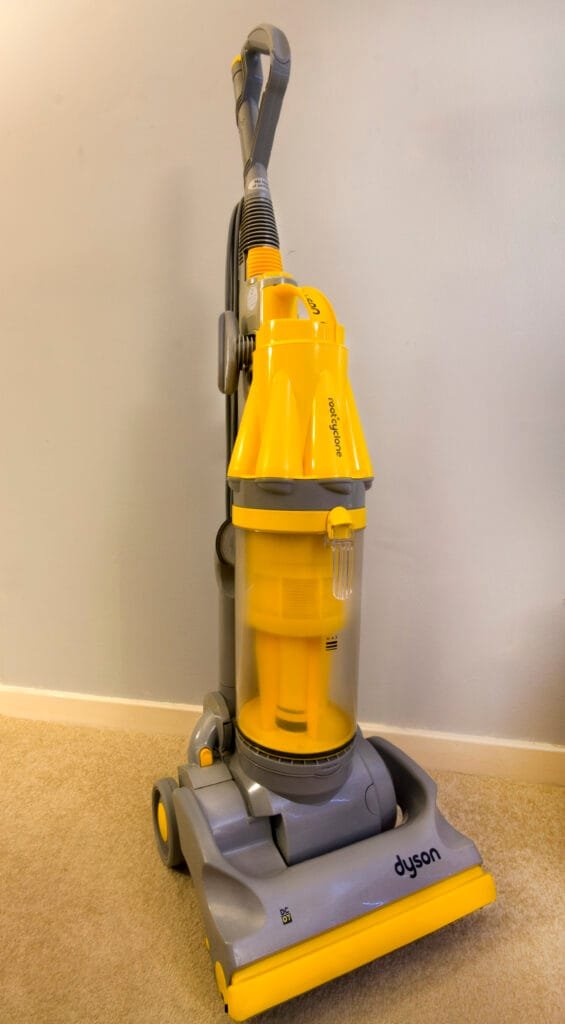
Is your Dyson vacuum not working like it used to? You rely on it to keep your home clean, and when it stops working, it can be frustrating.
But before you think about buying a new one, there’s a good chance you can fix it yourself. In this guide, you’ll learn simple and effective steps to repair your Dyson vacuum quickly. By the end, you’ll feel confident handling common problems and getting your vacuum back to peak performance.
Keep reading—your cleaner home is just a few fixes away.
Troubleshooting Dyson Vacuum
Troubleshooting a Dyson vacuum can save money and time. It helps find the root cause of problems fast. Simple checks often fix the issue without expert help. Understanding common problems and having the right tools is key. This section guides you through easy steps to diagnose and prepare for repairs.
Identifying Common Problems
Dyson vacuums show clear signs when something is wrong. The vacuum may lose suction power or stop working. Sometimes the brush bar does not spin. Strange noises or smells can also appear. Check for blockages in the hose or filters. A full bin can reduce performance. Clogged filters need cleaning or replacing. These problems are typical and easy to spot.
Tools Needed For Repairs
Simple tools make vacuum repair easier and safer. A screwdriver set helps open the vacuum casing. A pair of needle-nose pliers works well for small parts. A soft brush cleans dust from filters and motors. Keep a replacement filter or belt ready. Use a flashlight to see inside tight spaces. Having these tools at hand speeds up repair work.
Fixing Power Issues
Power problems are a common reason Dyson vacuums stop working. Many issues come from simple causes. Fixing power issues can bring your vacuum back to life quickly. This section covers easy steps to check and repair power problems.
Checking The Power Supply
First, confirm the vacuum is plugged in properly. Try another outlet to rule out socket issues. Check the power cord for cuts or damage. A damaged cord can stop electricity flow. Replace the cord if you find any breaks or frays. Also, test the power switch by turning it on and off. Sometimes, dirt or wear causes it to fail.
Resetting The Vacuum
Some Dyson models have a reset button. Press this button to clear minor faults. Unplug the vacuum and wait 10 seconds before resetting. This step can solve issues caused by overheating or a short circuit. Look for reset instructions in the user manual for your model. If the vacuum still won’t start, try the next step.
Replacing The Battery
Cordless Dyson vacuums need a good battery to work well. Over time, batteries lose charge and stop holding power. Check if the battery is swollen or damaged. Remove the old battery carefully following the manual. Buy a replacement that matches your model number. Install the new battery firmly. Charge it fully before using the vacuum again.
Clearing Blockages
Blockages often cause your Dyson vacuum to lose suction. Clearing these blockages helps your vacuum work better and last longer. Check the vacuum regularly to keep it clean and efficient. Focus on three main parts where blockages occur: the hose, the brush bar, and the filter.
Removing Debris From Hose
Detach the hose from the vacuum. Look through the hose to spot any clogs or debris. Use a long, flexible brush or a broomstick to push out the blockage. Avoid sharp objects that may damage the hose. After clearing, reattach the hose firmly.
Cleaning The Brush Bar
Turn off and unplug the vacuum. Flip it over to access the brush bar. Remove any hair, string, or dirt wrapped around it. Use scissors carefully to cut tangled debris. Spin the brush bar by hand to ensure it moves freely.
Unclogging The Filter
Remove the filter according to the user manual. Tap the filter gently to remove dust and dirt. Rinse the filter with cold water only. Let it dry completely for 24 hours before reinserting. A clean filter improves airflow and suction power.
Dealing With Suction Problems
Suction problems are a common issue with Dyson vacuums. These problems reduce cleaning power and make vacuuming harder. Fixing suction issues often involves checking a few key parts. This guide helps you find and solve suction problems step-by-step. Follow these simple tips to get your vacuum working well again.
Inspecting The Seals
Seals keep air from leaking out of the vacuum. Check all seals around the bin, hose, and attachments. Look for cracks, holes, or loose fittings. Damaged seals let air escape, causing weak suction. Replace any seals that look worn or broken. Tighten loose parts to ensure a good fit.
Emptying And Cleaning The Bin
A full or dirty bin blocks airflow and lowers suction. Empty the bin after every use. Remove dust and debris stuck inside the bin. Wash the bin with warm water and mild soap if needed. Dry the bin completely before putting it back. A clean bin helps the vacuum breathe better.
Replacing Worn Components
Worn parts can cause suction loss. Check the filters, brush bar, and hose for damage. Clean or replace filters regularly to maintain airflow. Remove hair or threads wrapped around the brush bar. Inspect the hose for holes or clogs. Replace any broken or worn parts to restore suction power.
Maintaining The Motor And Fan
The motor and fan are key parts of your Dyson vacuum. They create the suction power needed to clean well. Regular care keeps these parts working longer. Simple checks and small fixes can stop bigger problems.
Focus on keeping the motor and fan clean and smooth. This helps your vacuum run quietly and efficiently. Save money by avoiding costly repairs or replacements.
Lubricating Moving Parts
Moving parts need oil to work well. Dry parts cause noise and wear out fast. Use light machine oil on the motor shaft and fan bearings. Avoid over-oiling to prevent dust build-up. Do this every few months to keep parts smooth.
Checking For Overheating
Overheating can damage the motor. Feel the vacuum after use. It should be warm, not hot. Clean air filters to improve airflow. Blocked filters make the motor work harder. Let the vacuum cool if it feels too hot. Avoid long, continuous use to prevent overheating.
Replacing The Motor
Replace the motor if it stops running or makes loud noises. Unplug the vacuum first. Remove the outer casing carefully. Disconnect wires from the old motor. Install the new motor and reconnect wires. Put the casing back and test the vacuum. Follow safety guides and use the right motor model.
Upgrading And Replacing Parts
Upgrading and replacing parts can extend the life of your Dyson vacuum. Old parts may wear out or stop working well. Swapping them out keeps the vacuum running strong. Knowing how to find and install parts helps save money. It also makes your vacuum work like new again.
Sourcing Genuine Dyson Parts
Use genuine Dyson parts for best results. These parts fit perfectly and last longer. Many online stores sell fake or poor-quality parts. Avoid these to keep your vacuum safe. Visit Dyson’s official website or trusted dealers. Check part numbers to match your vacuum model. Genuine parts help maintain suction power and efficiency.
Installing New Components
Turn off and unplug the vacuum before starting. Remove old parts carefully without force. Follow the user manual for step-by-step instructions. Most parts snap or screw into place easily. Test the vacuum after installing new components. Make sure everything fits tight and works well. Proper installation prevents damage and improves performance.
Preventive Care Tips
Preventive care keeps your Dyson vacuum working well for a long time. Simple steps stop problems before they start. Small habits save money and time on repairs. Follow these easy tips to keep your vacuum clean and ready.
Regular Cleaning Schedule
Clean your Dyson vacuum after every few uses. Empty the dustbin to avoid clogging. Wash or replace filters monthly to keep airflow strong. Check brush bars for hair or threads and remove them. Clean the wand and hose to stop blockages. A clean vacuum cleans better and lasts longer.
Proper Storage Practices
Store your Dyson in a dry, cool place. Avoid leaving it in damp or hot spots. Keep the vacuum upright to protect parts from damage. Use the wall mount or storage dock if available. Wrap the cord loosely to prevent kinks. Proper storage stops wear and keeps your vacuum ready to use.
Frequently Asked Questions
How Do I Fix A Dyson Vacuum That Won’t Turn On?
Check the power source and cord for damage. Clean the filters and remove blockages. Reset the vacuum if it has a reset button.
What Causes A Dyson Vacuum To Lose Suction?
Clogged filters, blockages in the hose, or a full dust bin often cause suction loss. Clean and clear these parts regularly.
How Can I Replace A Dyson Vacuum Belt?
Turn off and unplug the vacuum. Remove the brush bar cover, take out the old belt, and install a new one following the manual.
Why Is My Dyson Vacuum Overheating And Shutting Off?
Overheating happens due to blockages or dirty filters. Turn off the vacuum, clean filters, and check for blockages before restarting.
Conclusion
Fixing your Dyson vacuum can save you time and money. Small steps, like cleaning filters or checking the brush, often solve issues. Keep tools and parts handy for quick repairs. Regular care helps your vacuum last longer and work better.
Stay patient and follow the guide carefully. Your vacuum will run smoothly again soon. Simple fixes can make a big difference. Try these tips to keep your Dyson strong and efficient.