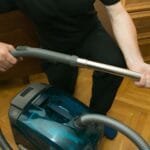
If your Dyson vacuum isn’t picking up as well as it used to, the problem might be right at the vacuum head. Dirt, hair, and debris can get tangled and stuck, making your cleaning less effective.
But don’t worry—cleaning your Dyson vacuum head is easier than you think. In this guide, you’ll discover simple steps to restore your vacuum’s power and keep your home spotless. Ready to get your Dyson working like new again? Let’s dive in.
Prepare Your Vacuum
Before cleaning your Dyson vacuum head, get it ready properly. Preparation helps you clean faster and better. It also keeps you safe during the process.
Start by gathering the right tools and disconnecting the vacuum head carefully. This makes the cleaning easier and protects your vacuum from damage.
Gather Cleaning Tools
Collect all tools needed for cleaning. You will need a pair of scissors or a seam ripper for hair removal.
Grab a soft brush or old toothbrush to clear dust from small parts. Use a cloth or paper towel to wipe dirt away.
Keep a bowl of warm water with mild soap ready. It helps to clean sticky dirt and stains on the vacuum head.
Unplug And Detach The Head
Always unplug your vacuum before any cleaning. This stops accidental switching on and keeps you safe.
Find the release button or clip on your vacuum to remove the head. Pull gently to avoid breaking any parts.
Lay the vacuum head on a flat surface. Now, it is ready for a thorough cleaning without any trouble.
Remove Debris And Hair
Removing debris and hair from your Dyson vacuum head keeps it working well. Dirt and hair get stuck in the brush bar and airway. This can slow down cleaning and cause damage. Regular cleaning improves suction and extends the vacuum’s life.
Detach The Brush Bar
Start by turning off the vacuum and unplugging it. Find the brush bar release button or screws. Press the button or unscrew carefully to remove the brush bar. Take it out gently to avoid breaking any parts. This makes it easier to remove hair and debris.
Use Scissors To Cut Tangled Hair
Look closely at the brush bar for tangled hair. Use small scissors to cut through the hair. Cut in short sections to avoid damaging the bristles. Pull out the loose hair with your fingers. Repeat until the brush bar looks clean.
Clear The Airway
Check the vacuum’s airway for clogs or dust buildup. Use a long, thin object or a soft brush to remove blockages. Make sure the pathway is clear for air to flow. A clean airway helps the vacuum pick up dirt better.
Clean The Brush Bar
Cleaning the brush bar of your Dyson vacuum head is important. It helps the vacuum work better and last longer. Dust, hair, and threads can get stuck around the brush bar. This makes the vacuum less effective at picking up dirt. Regular cleaning keeps the brush spinning freely and removes trapped debris.
Follow these simple steps to clean the brush bar safely and easily.
Wash With Warm Soapy Water
Remove the brush bar from the vacuum head. Use warm water mixed with mild soap. Gently scrub the brush bar to remove dirt and grease. Avoid soaking the whole brush bar. Focus on the bristles and areas with buildup. Use a soft brush or cloth for cleaning. Rinse the brush bar with clean water after washing. This removes soap and leftover dirt.
Dry Thoroughly Before Reassembly
Shake off excess water from the brush bar. Let it air dry completely before putting it back. Moisture can damage the motor and parts inside the vacuum head. Drying may take several hours or overnight. Make sure no water remains on the brush bar or inside the vacuum. Only reassemble when the brush bar is fully dry. This keeps your vacuum safe and working well.
Wipe The Vacuum Head
Wiping the vacuum head is an easy way to keep your Dyson working well. Dirt, dust, and hair can stick to the surface. Cleaning it helps the vacuum pick up debris better and last longer. Regular wiping stops buildup that can slow down your vacuum.
Use A Damp Cloth
Take a soft cloth and dampen it with water. Wipe the vacuum head gently to remove dust and dirt. Focus on areas that look dirty or sticky. Use light pressure to avoid damage. A damp cloth catches grime without scratching the surface.
Avoid Excess Moisture
Do not soak the vacuum head with water. Too much moisture can harm the motor or electronics. After wiping, let the vacuum head dry fully before use. Keep water away from openings and moving parts. Use only a slightly damp cloth for safe cleaning.
Check And Clean Filters
Checking and cleaning the filters of your Dyson vacuum head is important. Clean filters keep your vacuum working well. Dirty filters can slow down suction and reduce cleaning power. Regular care helps the vacuum last longer and perform better.
Locate Filters
Start by finding the filters on your Dyson vacuum. Most models have two filters. One filter is near the cyclone or dust bin. The other is usually inside the ball or near the motor. Check your vacuum manual if you are unsure where the filters are.
Rinse Or Replace As Needed
After locating the filters, remove them carefully. Rinse the filters under cold water. Do not use soap or any cleaner. Gently squeeze the filters to remove dirt. Let them dry completely for at least 24 hours before putting back.
Replace the filters if they look damaged or very dirty. Use only Dyson replacement filters for best results. Clean filters improve airflow and keep the vacuum running smoothly.
Reassemble And Test
After cleaning your Dyson vacuum head, reassembling and testing it ensures proper function. This step is crucial to keep your vacuum working efficiently. Follow each part carefully for best results.
Attach Brush Bar Back
Place the brush bar into its slot carefully. Make sure the ends fit into the holders. Push it gently until it clicks or locks in place. Check if the brush bar spins freely by turning it with your hand.
Secure The Vacuum Head
Align the vacuum head with the main body. Press firmly to snap it back together. Look for any gaps or loose parts. Tighten any screws if your model has them. The vacuum head should feel sturdy and secure.
Run A Quick Test
Plug in your vacuum and turn it on. Watch the brush bar to see it rotate smoothly. Listen for unusual noises or vibrations. Move the vacuum head across the floor to check suction. Stop and fix any issues before full use.
Maintenance Tips
Keeping your Dyson vacuum head clean is key to its performance. Regular maintenance helps the vacuum work better and last longer. Simple steps can stop clogs and other problems. Small habits make a big difference.
Regular Cleaning Schedule
Set a weekly or biweekly time to clean the vacuum head. Remove hair and dust from the brush bar. Check for blockages in the suction path. Wipe the head with a damp cloth to clear dirt. Clean filters and empty the bin often. This keeps airflow strong and suction high.
Preventing Common Issues
Cut long hair or threads caught in the brush bar. Avoid vacuuming sharp objects that can damage parts. Keep the vacuum away from wet floors to prevent motor damage. Store the vacuum in a dry place to stop rust. Check for cracks or loose parts regularly. Fix small problems early to avoid costly repairs.
Frequently Asked Questions
How Often Should I Clean My Dyson Vacuum Head?
Clean your Dyson vacuum head every 1-2 months. Frequent cleaning ensures optimal suction and prevents hair buildup. Regular maintenance extends the vacuum’s lifespan and improves cleaning efficiency.
What Tools Do I Need To Clean A Dyson Vacuum Head?
Use a pair of scissors, a soft brush, and a damp cloth. Scissors help cut tangled hair. The brush removes dust, and the cloth wipes off dirt and debris gently.
Can I Wash The Dyson Vacuum Head With Water?
Yes, you can rinse the vacuum head with water if the manual allows. Ensure it’s fully dry before reattaching to avoid motor damage. Avoid submerging electronic parts in water.
How Do I Remove Hair From The Dyson Vacuum Head?
Use scissors to cut hair wrapped around the brush bar carefully. Pull out loosened hair with fingers or tweezers. Regular hair removal prevents blockages and maintains suction power.
Conclusion
Cleaning your Dyson vacuum head keeps it working well and lasting longer. Regular care removes hair, dust, and debris that slow it down. A clean vacuum head helps you clean floors more efficiently. Spend a few minutes each week on this simple task.
Your vacuum will thank you with better performance every time. Small steps make a big difference in home cleaning. Keep your Dyson ready for the next mess. Easy to do, easy to keep up with.